23/06/2024 - 03/08/2024 Ng Zheng Kai 0359424 Bachelor of Design in
Creative Media Advanced Interactive Design Final Project
INSTRUCTIONS
Project 3 - Completed Thematic Website
For this project, we are to create a thematic website based on our prototype
on project 2. we are to integrate visual asset and refine the prototype into a
complete working and functional product experience using Adobe Animate
Before starting the project, I watched some helpful tutorials online on how to
better utilize Adobe Animate.
Fig 1.1 Masking and Adding Buttons in Adobe Animate
Fig 1.2 Creating a Simple Website Using Adobe Animate
After that, I started to create assets in Adobe Illustrator and import it to
the library in Adobe Animate.
Fig 1.3 Importing assets into library
I then created different animation transitions for each page and made labels
on the "action" layer.
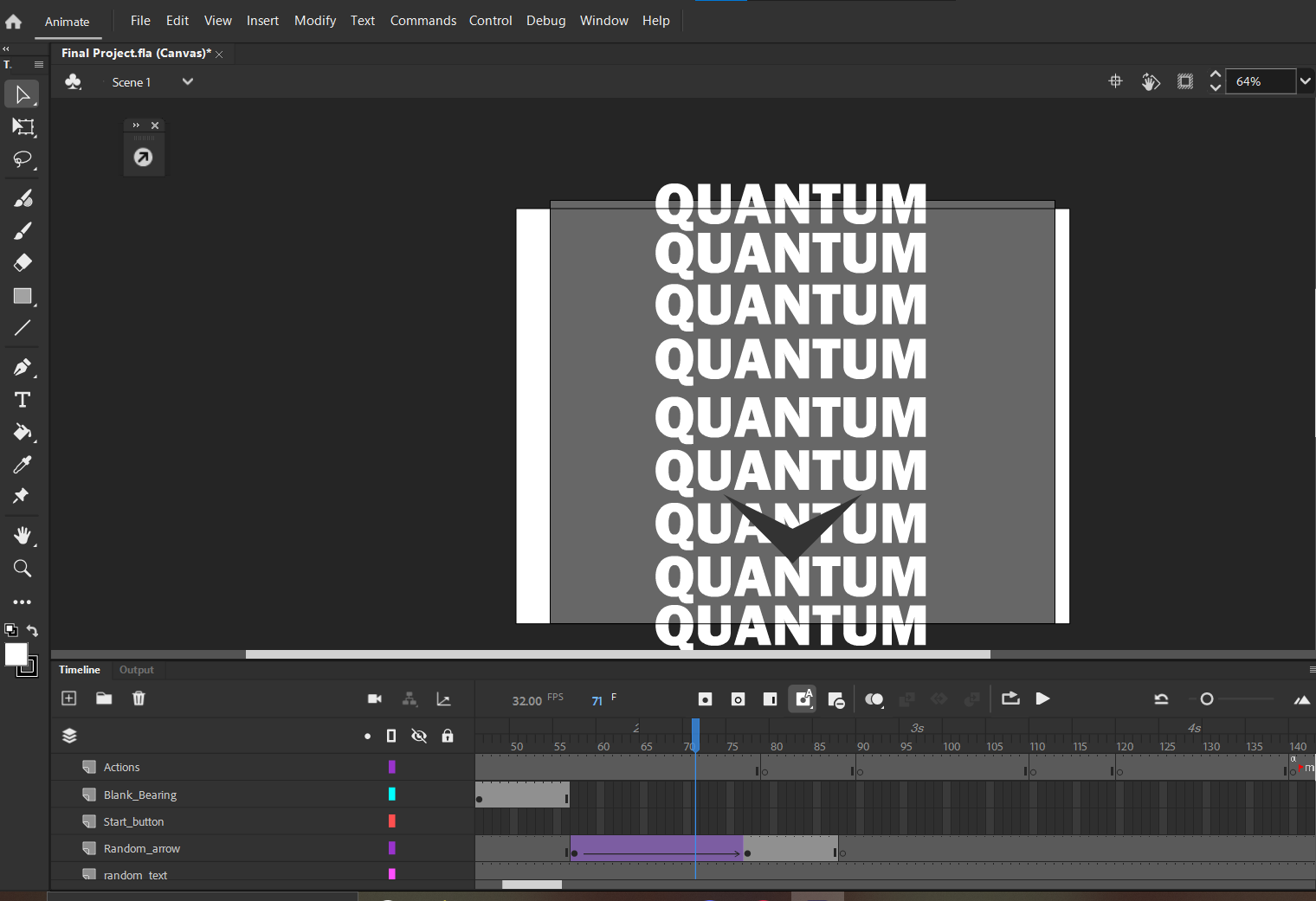
Fig 1.4 Start page
Fig 1.5 Transition
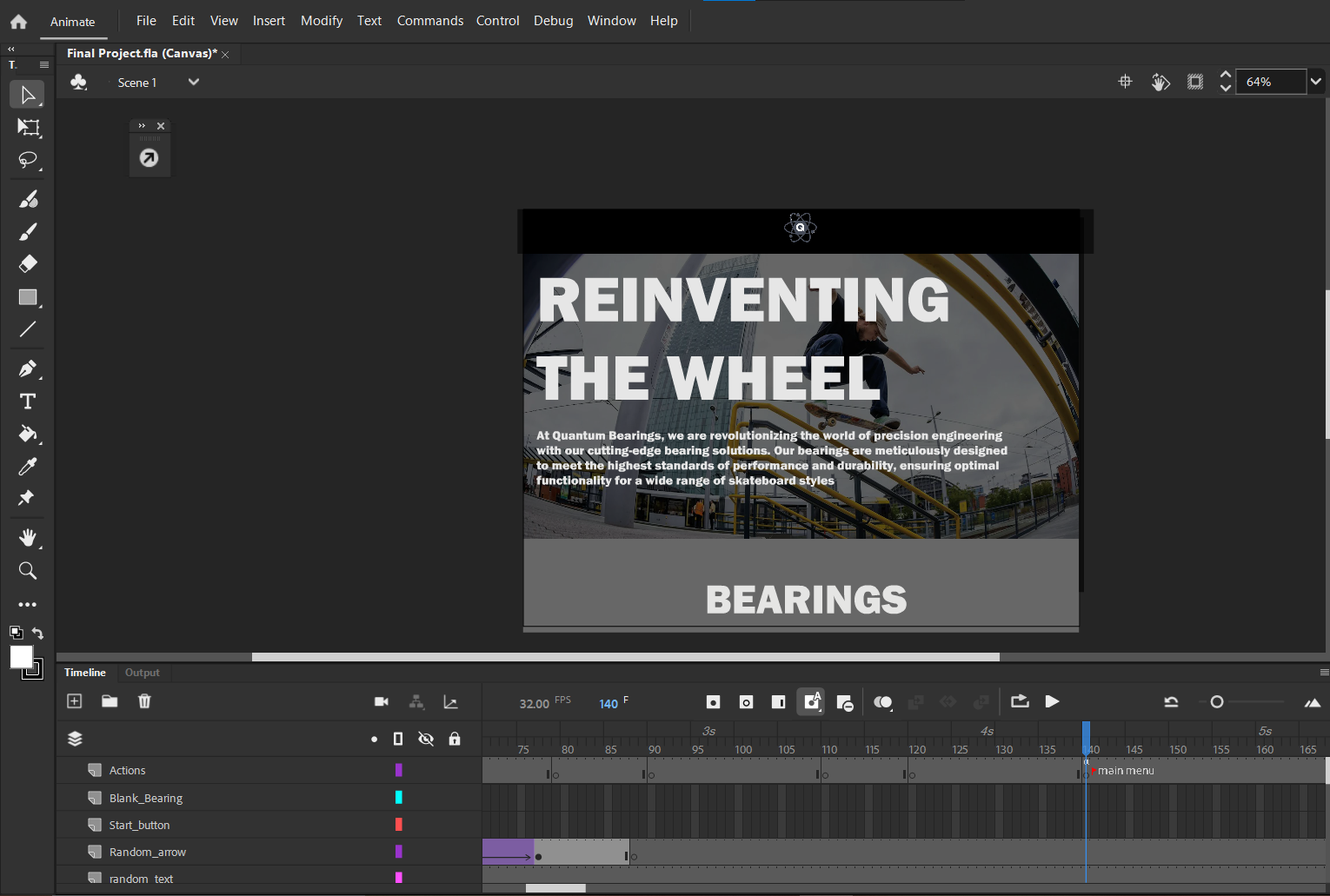
Fig 1.6 Main menu
Fig 1.7 Bearings page 1
Fig 1.8 Bearings page 2
Fig 1.9 Bearing details page
Originally, I planned to implement a page for customizing a skate deck with
various selection of colour palettes but it proved to be too complicated and
beyond my understanding of Animation and JavaScript.
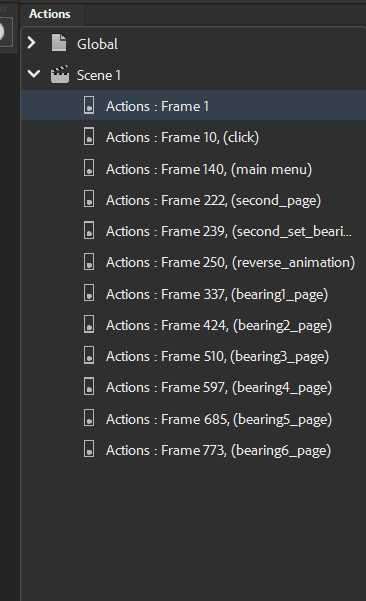
After completing some sections of the animations, I started to code, I used an
"actions' layer and label each section of the animation. I used code snippets
for quickly adding my code into the specific frames.
Fig 1.10 Codes
Fig 1.11 Frames used for coding
Final Submission
Below is the video recording of the walkthrough of the website.
As I am undertaking the final project of Advanced Interactive Design, I found myself deeply engaged with both the technical and creative aspects of the task. The process of designing animations in Adobe Animate and crafting a thematic website challenged me to apply my technical skills in a meaningful way. It was an opportunity to explore the software's capabilities, from simple frame-by-frame animations to more complex interactive elements. Each step required a meticulous approach, from planning and storyboarding to executing and refining the animations.
Through this project, I gained a deeper appreciation for the competencies required in digital design and animation. I recognized the importance of attention to detail, user-centered design, and effective communication. These skills are invaluable, not only in the context of this project but also in my future endeavors, whether they involve creating digital content, working in a team, or pursuing a career in a related field.
This experience has also highlighted the significance of self-assessment and seeking constructive feedback. Understanding my strengths and areas for growth has empowered me to set specific goals for improvement, such as mastering advanced animation techniques and enhancing my understanding of user experience design.
In conclusion, this final project was more than just an academic exercise; it was a journey of self-discovery and skill development. By aligning with the learning goal of "Appraising and Valuing Competencies," I was able to use technology not only as a tool for creation but also as a means for self-reflection and improvement. This project has equipped me with the skills and mindset needed to continue growing as a learner and a creator, preparing me for future challenges and opportunities in the ever-evolving digital landscape.
30/8/2023 - 24/9/2023, Week 1 - Week 5 Ng Zheng Kai / 0359424 Advanced Typography / Bachelor of Design in Creative Media (Hons) Task 1: Exercise 1 & 2 LECTURES WEEK 1 - LECTURE 1 Advanced Typography: Typographic Systems Typographic systems are akin to a set of rules that provide a sense of purpose that focuses and directs the decision making. Axial System: All elements are organized to he left or right of a single axis Fig 1.1 Axial System Fig 1.2 Axial System Example Radial System: All elements are extended from a point of focus. Fig 1.3 Radial System Fig 1.4 Radial System Example Dilatational System: All elements expanded f...
02/02/2026 - 27/03/2026 Ng Zheng Kai 0359424 Bachelor of Design in Creative Media |Major Project 2 INSTRUCTIONS Major Project 1: https://ngzhengkaidesignblog.blogspot.com/2025/02/major-project-task-1.html Progress There's a particular kind of optimism that comes with the start of a new project. The brief is fresh, the ideas are flowing, and the problems feel distant enough to be exciting rather than daunting. When our team, Ian, Michael, Jordan and I, first sat down to figure out what Beacon would become, that optimism was very much in the room. What followed over the next several weeks was a process that tested it repeatedly, reshaped it, and ultimately left us with something we could genuinely stand behind. This is my honest account of that journey. Not a highlight reel, but a real reflection on the design work, the collaboration, the setbacks and the growth that came with building Beacon from concept through to p...
03/04/2023 - 05/07/2023, Week 1 - Week 14 Ng Zheng Kai/ 0359424 Bachelor of Design in Creative Media Typography GCD60104 Final Compilation & Reflection Lectures Task 1: Type Expression and Formatting Task 2: Typographic Exploration and Communication Task 3: Type Design and Communication Submissions Task 1: Type Expression and Formatting 03/04/23 - 14/05/23, Week 1 - Week 6 Exercise 1: Type Expression Figure 1.1 Final Design of Type Expression in JPEG Figure 1.2 Final Design of Type Expression in PDF Figure 1.3 Final Animation for GIF of Type Expression Exercise 2: Text Formatting Figure 1.4 Final Design of Text Formatting in JPEG Figure 1.5 Final Design of Text For...






Comments
Post a Comment